Connect Portal
Transactions enhancements
For faster navigation, we've moved Transactions to the main menu. You can now get to your transaction list in a single click from the left navigation panel or the homepage.
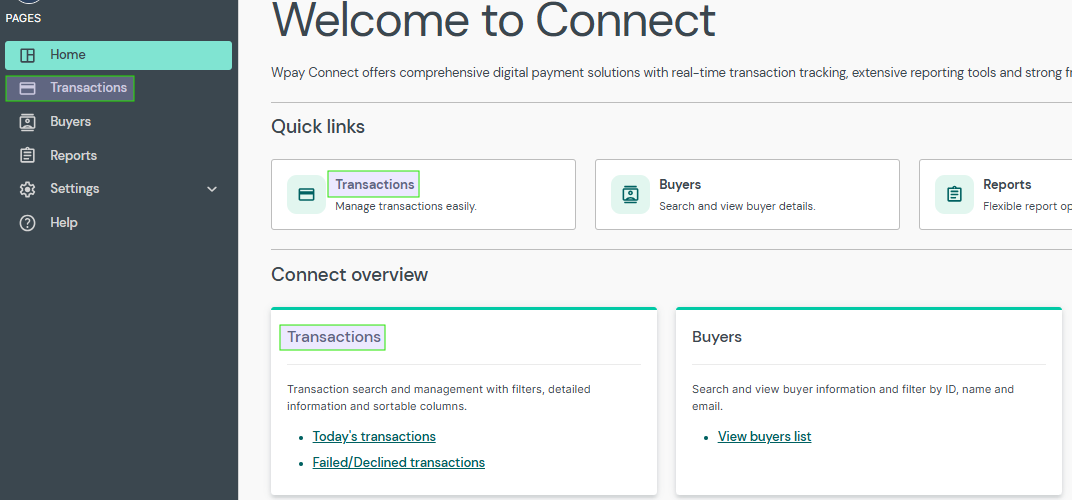
Connect portal navigation panel and homepage
We've added a date and time filter to the Transactions page, making it easier to narrow your search to a specific time range for reconciliation or investigations.
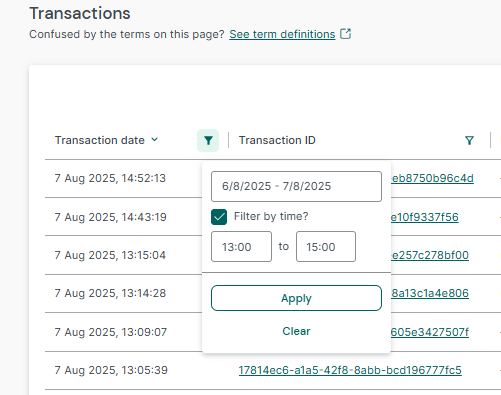
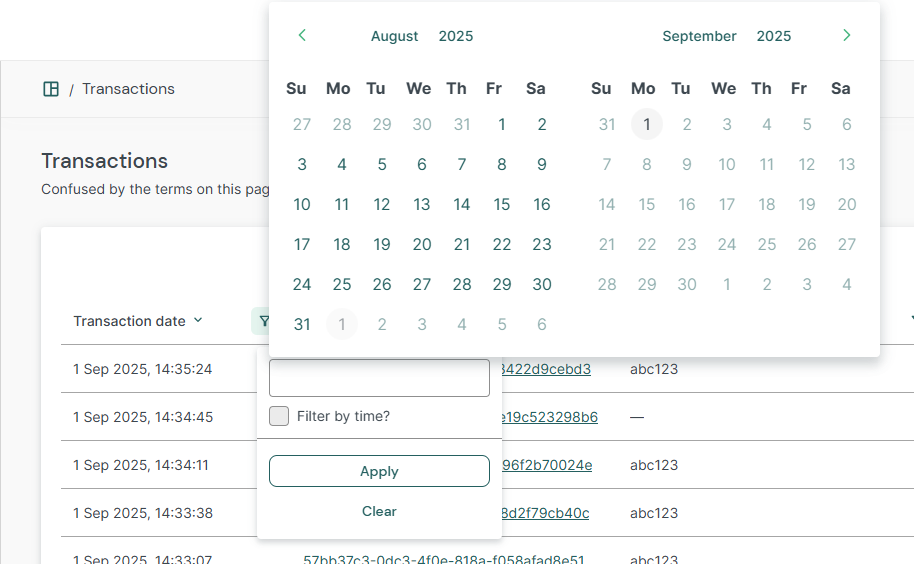
To improve search accuracy, the date filter now only allows you to select past and current dates, preventing accidental searches for future transactions.
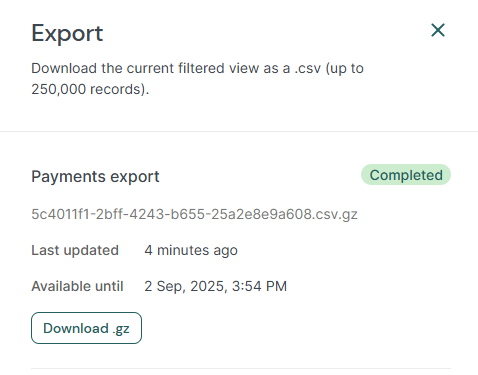
To improve performance with large datasets, your transaction export file will now be downloaded as a compressed GZIP file, which reduces the file size and download time.
Buyer screen enhancements
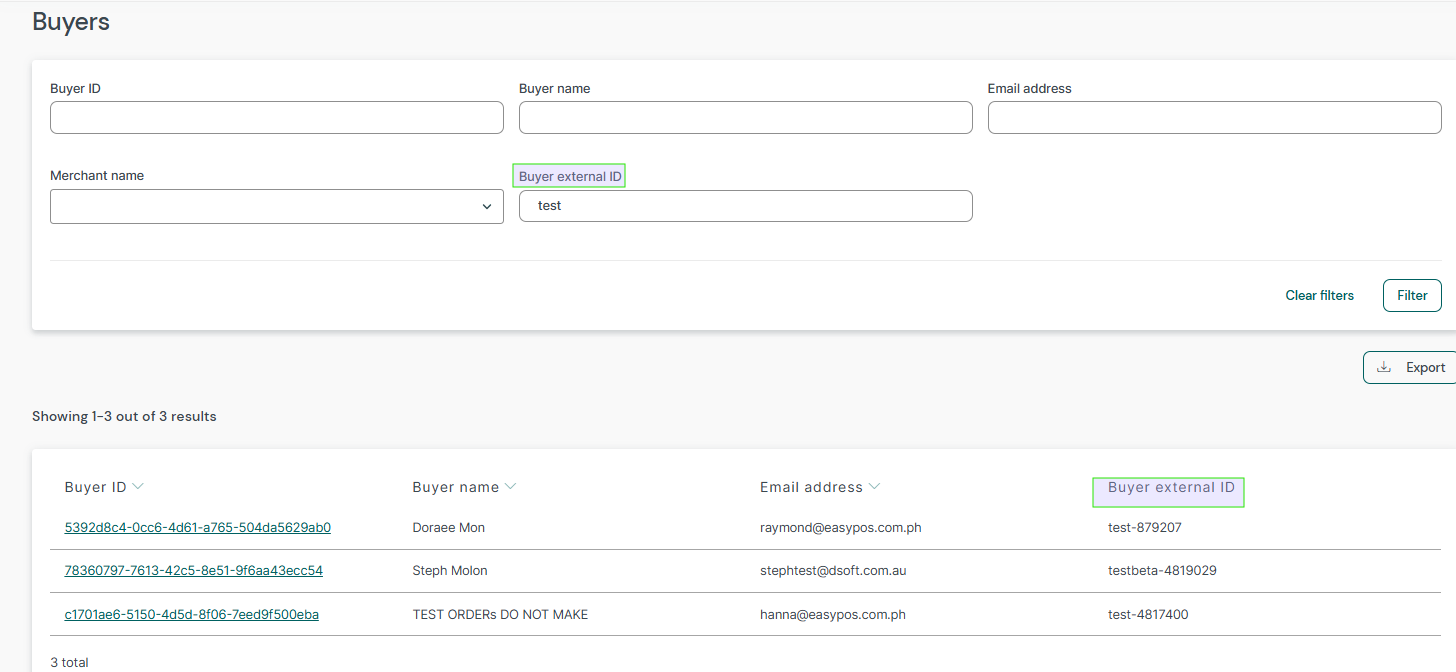
We've made it easier to search for your buyer data. A new filter on the Buyer screen allows you to search by Buyer external ID. This identifier has also been added as a new column to the search results and the export file.
Digital payments
Background
Embed SDK for web, iOS, and Android provides a way to listen to a transaction being created. On web, Embed has an event handler called onEvent(). This parameter allows you to listen to a transactionCreated event, which is raised when a transaction completes.
setup({
  onEvent: (name, data) => {
    if (name === "transactionCreated") {
      // inspect data
    }
  },
});
Currently, in each of these SDKs these events can include a data payload that contains most of the transaction details.
{
  "type": "transaction",
  "id": "7099948d-7286-47e4-aad8-b68f7eb44591",
  "reconciliation_id": "default",
  "merchant_account_id": "default",
  "currency": "EUR",
  "amount": 1299,
  "status": "authorization_succeeded",
  "authorized_amount": 1299,
  "captured_amount": 1299,
  "refunded_amount": 0,
  "settled_currency": "USD",
  "settled_amount": 1100,
  ...
}
Changes
With this change, the new data payload will be reduced to return just the ID, status, and depending on the SDK the the type and success state (React Native).
{
  "type": "transaction",
  "id": "7099948d-7286-47e4-aad8-b68f7eb44591",
  "status": "authorization_succeeded"
}
IOS
gr4vy?.launch(
    presentingViewController: self,
    onEvent: { event in
        switch event {
        ...
        case .transactionCreated(let transactionID, let status):
            print("Handle transactionCreated here, ID: \(transactionID), Status: \(status)")
            return
        }
    })
Android
{
  "transactionID": "8724fd24-5489-4a5d-90fd-0604df7d3b83",
  "status": "authorization_succeeded"
}
React Native
{
  "success": true,
  "transactionId": "8724fd24-5489-4a5d-90fd-0604df7d3b83",
  "status": "authorization_succeeded"
}
Impact
If your integration currently depends on additional fields from this transactionCreated event (for example, authorized_amount), you will need to update your logic.
Move any checks or processing that rely on the removed fields to your server side.
Use the transaction ID from the event payload to call the GET /transactions/{id} API and retrieve full detail