Connect Portal
Payment timeline enhancements
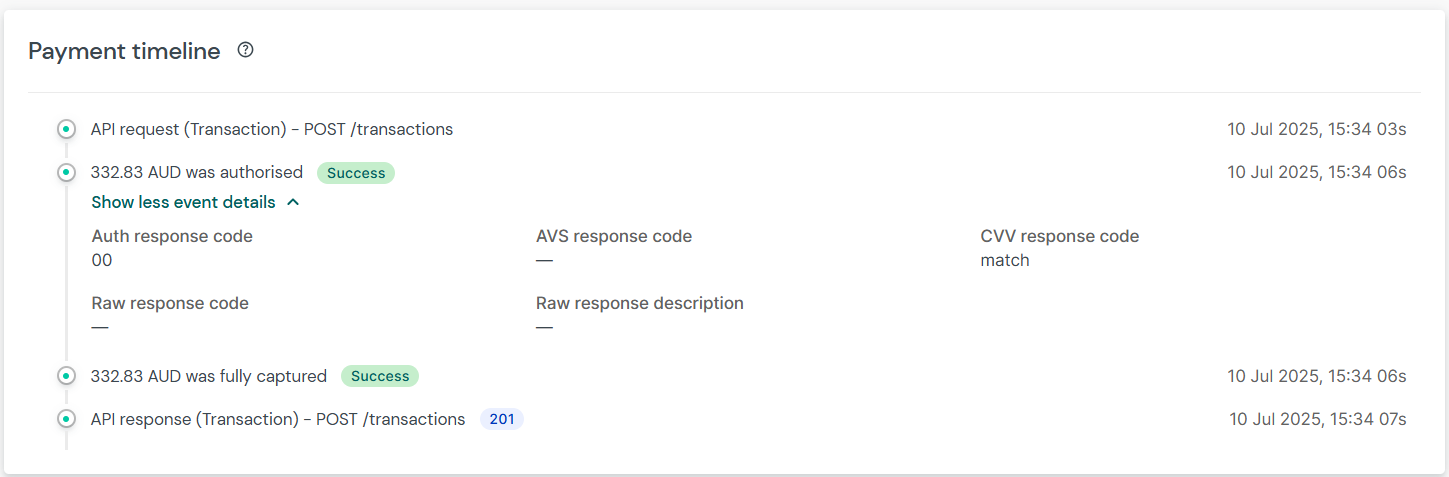
Payment Timeline component from Payment Overview screen is uplifted with new design for all online transactions.
For new transactions, this will also allow you to view a comprehensive events on a transaction and historical information on events that happened on the transaction such as 3DS, Anti-fraud, Authorisation, Capture, Void, and Refund.
You will see below changes in the latest Timeline
- Chronological ordering of the events
- Event timestamp shifted to right hand side of the screen
- Collapsible panel to view additional event details (available only for new transactions)
UI enhancements
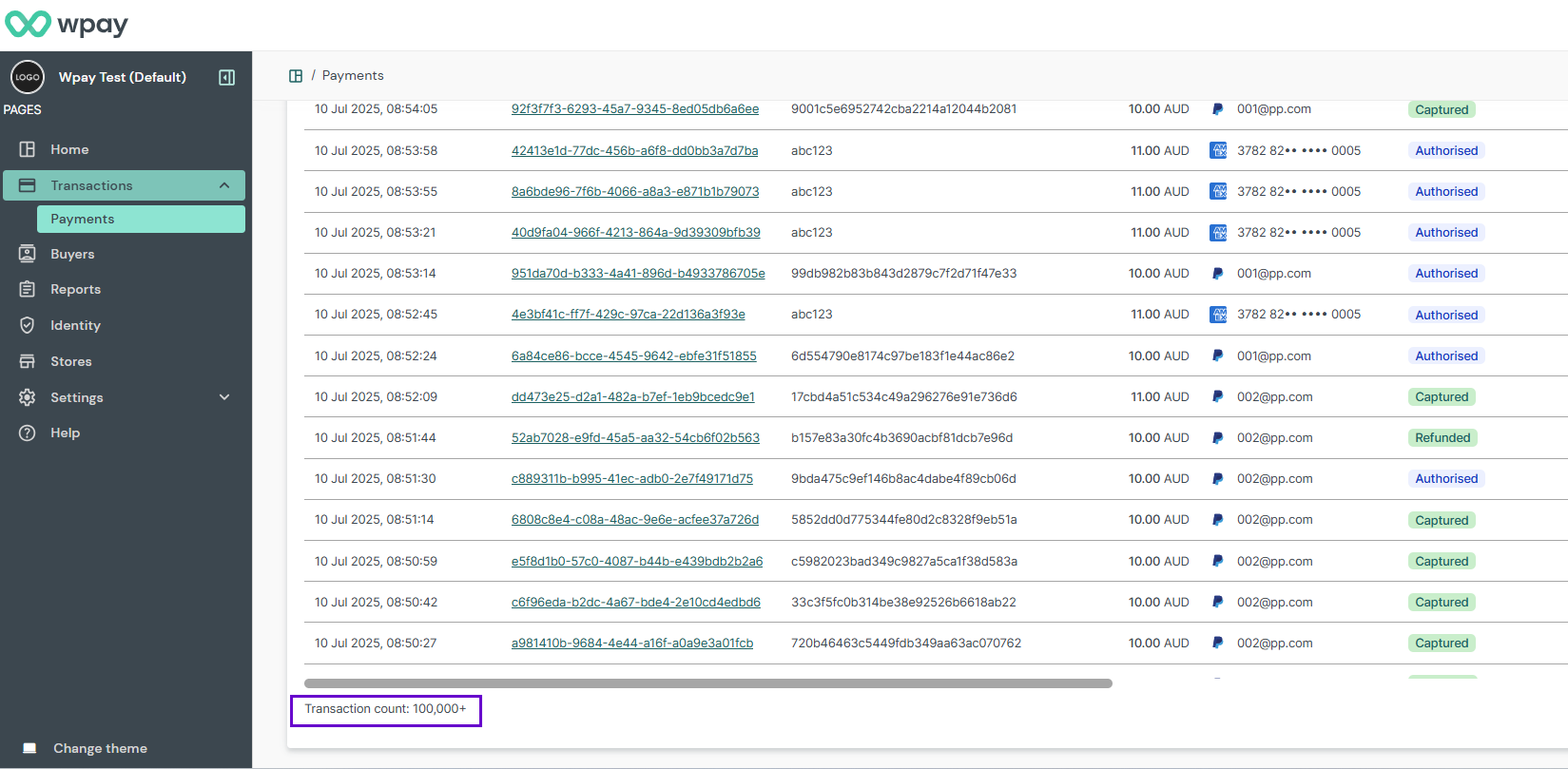
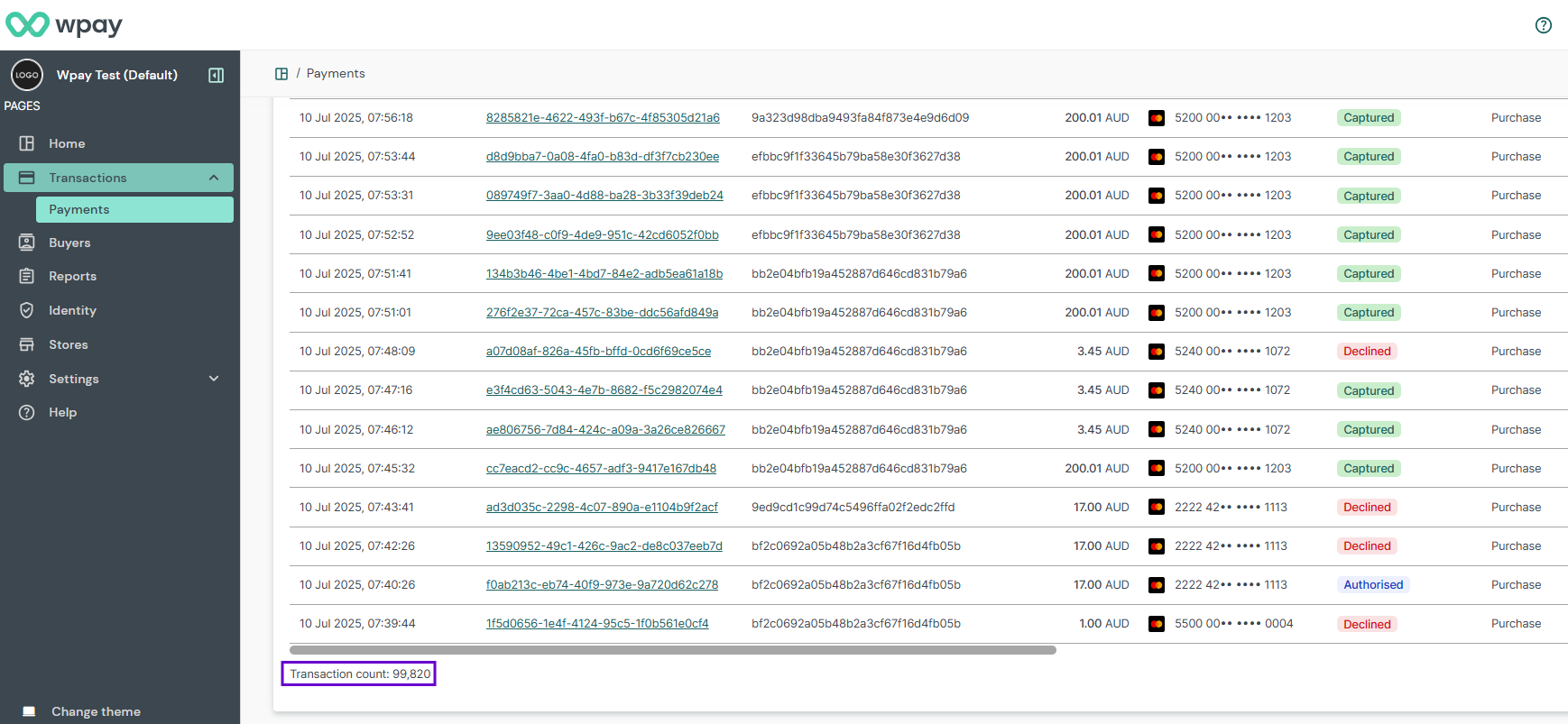
Transaction count label is added on the Payment Listing screen, at the bottom of transaction listing table. This will indicate exact number of transactions in the listing table if the count is within Export max limit (100,000). Incremental '+' indicator will be displayed for the listing results where transaction count is higher than Export max limit.
Digital Payments - Changes to transactionCancelled event in Embed
Summary
Upcoming change Gr4vy will be changing the payload for the transactionCancelled event raised by Embed to contain more data.
Background
Gr4vy Embed has an event handler called onEvent(). This parameter allows to listen to transactionCancelled events, which are raised when the Apple Pay / Google Pay payment sheets are dismissed.
setup({
  onEvent: (name, data) => {
    if (name === "transactionCancelled") {
      // inspect data
    }
  },
});
Currently, these events include a data payload that is a string.
"Apple Pay: Session cancelled"
"Google Pay: Session cancelled"
This is inconsistent with other payloads where data is an object.
Changes
With this change, the new data payload will return an object instead of a string.
{
  "type": "cancellation",
  "method": "apple_pay",
  "message": "Session cancelled"
}
{
  "type": "cancellation",
  "method": "google_pay",
  "message": "Session cancelled"
}
Impact
Please check if you are expecting the data property to be a string. For example, your code might perform a check to see if data === 'Apple Pay: Session cancelled'.
Instead, please check any of the new object’s properties, for example data.method === 'applepay' && data.type === 'cancellation'.